
Affiliate disclosure: BusinessPolicyGuide is reader-supported. When you sign up through links to accounting platforms below, we may earn a commission at no additional cost to you.
Need help choosing accounting software?
Jump to the side-by-side pricing and feature comparison.
See the comparison table →How we picked these seven
We focused on accounting platforms widely used by U.S. small businesses with transparent self-service pricing. Each platform covers the core stack: chart of accounts, double-entry bookkeeping, bank feeds, invoicing, expense capture, and basic financial reporting (P&L, balance sheet, cash flow). Where platforms differ is invoicing depth, inventory support, payroll integration, multi-currency handling, and ecosystem of bookkeepers familiar with the tool.
Prices below are list prices as published by each vendor in 2026. Most platforms run promotional discounts of 30-70% off for the first three months for new subscribers.
Comparison table
| Software | Starting Price | Free Plan | Best For | Invoicing | Inventory |
|---|---|---|---|---|---|
| QuickBooks Online | $35/mo | No (30-day trial) | U.S. default, large CPA network | Yes | Plus tier & up |
| Xero | $20/mo | No (30-day trial) | Clean UX, unlimited users | Yes | Established tier & up |
| FreshBooks | $21/mo | No (30-day trial) | Service businesses, invoicing | Yes (best in class) | Limited |
| Wave | Free | Yes | Freelancers, tight budgets | Yes | No |
| Zoho Books | $15/mo | Yes (under $50K revenue) | Zoho ecosystem users | Yes | Standard tier & up |
| Sage 50 | $61.92/mo | No | Inventory-heavy desktop users | Yes | Yes (strong) |
| NetSuite | Custom (~$999/mo) | No | Mid-market, multi-entity | Yes | Yes (enterprise) |
1. QuickBooks Online
QuickBooks Online from Intuit remains the most-used small business accounting platform in the U.S., with roughly 80% market share among CPAs. Pricing ranges from $35/month for Simple Start (one user) to $235/month for Advanced (25 users, custom reports, batch invoicing). Most small businesses land on Plus at $99/month, which adds inventory tracking, project profitability, and up to five users.
The advantage is ecosystem: nearly every U.S. bookkeeper and CPA knows QuickBooks, payroll integrates cleanly (QuickBooks Payroll), and third-party apps for everything from time tracking to e-commerce connect in minutes. The disadvantage is price creep - the public tier price is rarely the all-in cost once you add payroll and payment processing.
2. Xero
Xero is QuickBooks Online's closest competitor and the clear leader in clean, modern UX. Pricing starts at $20/month for Early (20 invoices, 5 bills) and runs to $80/month for Established (multi-currency, expenses, projects). Unlike QuickBooks, every tier includes unlimited users, which makes Xero notably cheaper for businesses with multiple operators or external bookkeepers.
The bookkeeper ecosystem is large internationally but smaller than QuickBooks in the U.S. - confirm your CPA is Xero-certified before switching. Bank feeds, invoice automation, and the mobile app are widely considered best-in-class. Pick Xero if you value UX, want unlimited users on every tier, or operate in multiple currencies.
3. FreshBooks
FreshBooks started as invoicing software and grew into a full accounting platform. Pricing is $21/month for Lite (5 clients), $38/month for Plus (50 clients), and $65/month for Premium (unlimited clients). The invoicing flow, payment reminders, late-fee automation, and client portal are the most polished in the category.
For service businesses - consultants, agencies, freelancers, attorneys, photographers, designers - FreshBooks frequently wins on time-to-paid-invoice. Inventory and full-blown double-entry accounting are weaker than QuickBooks or Xero, so it's a better fit for time-and-materials businesses than for product-heavy operations. Pick FreshBooks if invoicing drives your cash flow.
4. Wave
Wave is the only genuinely free option in the category. Core accounting, invoicing, and receipt scanning cost $0. Wave monetizes through payment processing (2.9% + $0.60 per card transaction, 1% for ACH), payroll ($20-$40/month + per-employee fees), and optional advisor services.
For freelancers, side-hustles, and very small businesses, Wave does everything you actually need: send invoices, track expenses, reconcile a bank account, and produce a basic P&L for tax time. Reporting and inventory are limited compared to paid platforms, and the bookkeeper ecosystem is much smaller. Pick Wave when budget is the binding constraint and your books are simple.
5. Zoho Books
Zoho Books offers the most generous free tier in the paid category - $0 for businesses under $50,000 in annual revenue (limited features). Paid tiers run from $15/month (Standard) to $275/month (Ultimate, with advanced analytics). The platform is fully featured: double-entry accounting, invoicing, expenses, projects, inventory, and a workflow automation engine.
The strongest fit is for businesses already using other Zoho products (CRM, Inventory, People, Mail) - the integrations are tight and the bundled Zoho One suite at $37/user/month becomes excellent value. Pick Zoho Books when you live in the Zoho ecosystem or want enterprise-grade features at small-business pricing.
6. Sage 50
Sage 50 (formerly Peachtree) is the longest-running desktop accounting platform in this comparison. Pricing starts at $61.92/month for Pro Accounting (single user) and runs through Premium and Quantum tiers for multi-user and advanced inventory needs. Despite the price point, Sage 50 retains a loyal base in product-heavy small businesses thanks to mature inventory management, job costing, and audit trails.
The trade-off is a less modern UX and a smaller third-party app ecosystem than QuickBooks or Xero. The cloud-connect option (Sage 50 with Microsoft 365) bridges desktop power with some cloud convenience. Pick Sage 50 if you run a manufacturing, distribution, or inventory-heavy business and value depth over a modern web UX.
7. NetSuite
NetSuite (Oracle) sits in a different segment - cloud ERP for mid-market and growing businesses. Pricing is custom and starts around $999/month for the base platform plus $99/user/month, with most real deployments landing well above that once modules (advanced inventory, manufacturing, multi-subsidiary, fixed assets) are added.
NetSuite is overkill for sole proprietors and most small businesses. It earns the recommendation when you've outgrown QuickBooks (typically $10M+ in revenue, multiple entities, multi-currency, complex revenue recognition) and need true ERP capabilities including financials, CRM, e-commerce, and inventory in one system. If you're considering it, budget for implementation - real go-lives take three to six months and require a NetSuite partner.
How to choose between them
Match the platform to your business model. Service businesses billing time-and-materials usually win with FreshBooks. Product businesses with inventory need QuickBooks Plus, Xero Established, or Sage 50. Freelancers and very small businesses get full value from Wave at $0. Businesses already using Zoho should consolidate on Zoho Books. Most U.S. small businesses with a CPA default to QuickBooks Online because the CPA already knows it - which alone can be worth the price gap over Xero.
Whatever you pick, ask your CPA or bookkeeper before subscribing - their familiarity with the platform will save more in cleanup hours than any monthly price difference.
Frequently asked questions
What is the best accounting software for small businesses in 2026?
QuickBooks Online remains the market leader and the safest default if you'll work with U.S.-based bookkeepers or CPAs. Xero is the strongest competitor for clean UX and unlimited users. FreshBooks wins for service-business invoicing. Wave is the best free option.
Is free accounting software really free?
Wave is genuinely free for core accounting, invoicing, and receipt scanning. The company monetizes through payment processing, payroll add-on, and optional advisor services. For freelancers and very small businesses, Wave is a legitimate $0 option.
Do I need accounting software if I have a bookkeeper?
Yes - the bookkeeper works inside accounting software. The question is which platform. Most U.S. bookkeepers default to QuickBooks Online. Ask your bookkeeper before subscribing.
Can I switch accounting software mid-year?
Yes, but the best time is at year-end so the new platform starts with a clean opening balance. Most platforms offer import tools or paid migration services.
What's the difference between accounting software and tax software?
Accounting software runs your books year-round - tracking income, expenses, invoices, payroll, and reports. Tax software prepares and files the annual return based on those numbers.
Recommended reading
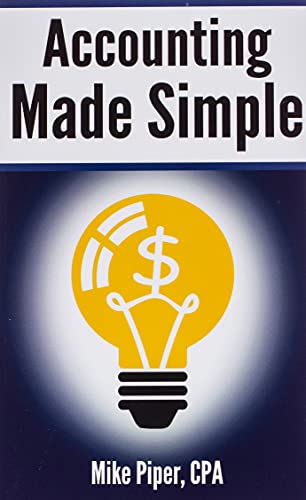
Accounting Made Simple
A 100-page primer that teaches double-entry bookkeeping, the three financial statements, and how to actually read a P&L. Read this before opening any accounting software for the first time.
See Price & Reviews View on Amazon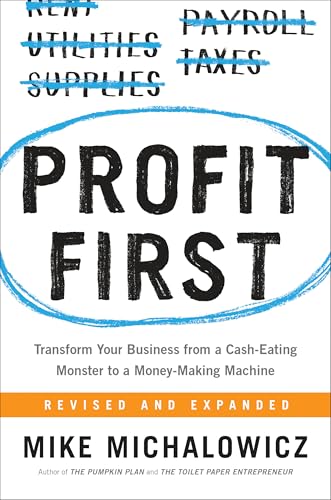
Profit First
An envelope-style cash management system that turns accounting from a backward-looking ledger into a forward-looking discipline. Pairs naturally with whichever platform you choose.
See Price & Reviews View on Amazon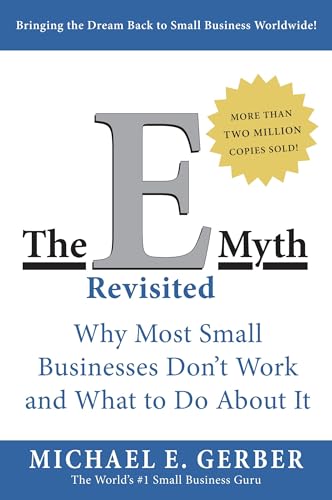
The E-Myth Revisited
The classic on building a business that runs without you. Systems-thinking that's directly applicable to designing your monthly bookkeeping close - the same discipline that makes accounting software useful instead of busy-work.
See Price & Reviews View on AmazonReady to pick an accounting platform?
Re-read the comparison table and click through to the platform whose feature set best matches your business.
Back to comparison →