
Affiliate disclosure: BusinessPolicyGuide is reader-supported. When you click links to vendors below, we may earn a commission. Pricing is subject to change - confirm the current rate on each provider's site before purchasing.
Need help choosing tax software?
Compare top-rated tax platforms for self-employed and small business filers in minutes.
See the comparison table →How we picked these six
We focused on tax software that actually supports self-employed and small-business workflows: Schedule C, self-employment tax, quarterly estimates, depreciation (Section 179 and bonus), home office, business mileage, 1099-NEC import, and SEP/Solo 401(k) deductions. We compared six widely used U.S. consumer tax products that explicitly market a self-employed tier. Enterprise-only platforms (Drake, ProSeries, Lacerte, UltraTax) are excluded because they're sold to professional preparers, not end-user business owners.
Prices below are list prices for the 2025 tax year (filed in early 2026) as published by each vendor; promotional discounts typically run until the April filing deadline. State e-file is almost always extra unless noted.
Comparison table
| Software | Federal Price | State Price | Best For | Free Tier? |
|---|---|---|---|---|
| TurboTax Self-Employed | $129 | $59 | QuickBooks users, polished UX | Simple returns only |
| H&R Block Self-Employed | $85 | $49 | In-person backup, retail support | Simple returns only |
| TaxAct Self-Employed | $64.99 | $44.99 | Mid-budget, refund maximizer | Simple returns only |
| FreeTaxUSA Self-Employed | Free | $14.99 | Lowest cost, Schedule C supported | Yes, full Schedule C |
| TaxSlayer Self-Employed | $52.95 | $39.95 | Active military, low fixed price | Simple returns only |
| 1040.com Self-Employed | $25 flat | Included | Predictable flat fee | No |
1. TurboTax Self-Employed
TurboTax Self-Employed remains the most polished tax interview on the market. Intuit's question-driven flow walks first-time Schedule C filers through industry-specific deductions, with built-in lookups for common 1099 categories (rideshare, delivery, consulting, creators, real estate agents). The headline feature for many small business owners is direct integration with QuickBooks Self-Employed and QuickBooks Online - income, expense categories, and mileage flow into the return without re-entry.
List price runs $129 for federal Self-Employed plus $59 per state e-file. The Live Assisted tier (CPA on demand) jumps to $209, and Live Full Service - where a professional prepares the return for you - tops the lineup at $329 and up. TurboTax is the right pick if you value the cleanest UI, already use QuickBooks, or want the option of bringing a human CPA into the same workflow on demand.
2. H&R Block Self-Employed
H&R Block Self-Employed lists at $85 federal plus $49 per state, with Premium & Business desktop (for S-corp and partnership returns) at $109. The interview is slightly less polished than TurboTax but covers the same self-employment forms, and import support for 1099-NEC, 1099-MISC, and 1099-K is solid.
H&R Block's structural advantage is the retail footprint: roughly 9,000 U.S. offices where you can hand off a return mid-stream if the software stalls. The Online Assist add-on connects you to a tax pro for questions without leaving the software. Pick H&R Block if you want the comfort of in-person backup, especially during an audit or if you receive an unexpected IRS notice.
3. TaxAct Self-Employed
TaxAct Self-Employed lists at $64.99 federal plus $44.99 per state, comfortably below TurboTax and H&R Block. The "Deduction Maximizer" walks self-employed filers through common industry deductions, and TaxAct's $100K Accuracy Guarantee (the largest in the industry) is genuinely useful peace-of-mind if you're filing a complex return on your own.
The interview feels a step less refined than the leaders, and the upsell prompts are more frequent, but the math is solid and the price gap is real. TaxAct is the strongest mid-budget option for owners who want a guided experience without paying TurboTax pricing. The companion TaxAct Business product handles 1120-S, 1120, and 1065 returns at $124.99 per filing.
4. FreeTaxUSA Self-Employed
FreeTaxUSA is the price disruptor that even competitors recommend privately. Federal filing - including full Schedule C, self-employment tax, depreciation, home office, and SEP/Solo 401(k) contributions - is free. State returns are $14.99 each. The optional Deluxe upgrade adds priority support and audit assist for $7.99.
The interface is unmistakably no-frills compared to TurboTax, but the form coverage for sole proprietors is essentially identical. There's no live CPA option and no native QuickBooks import (you'll enter category totals manually), so it works best when your books are already clean. For self-employed filers comfortable with their bookkeeping, FreeTaxUSA can cut tax software spend by 80%+ without giving up any forms.
5. TaxSlayer Self-Employed
TaxSlayer Self-Employed lists at $52.95 federal plus $39.95 per state, with a notable benefit for active-duty military (Classic tier is free regardless of complexity). The self-employed tier adds access to a tax pro with self-employment expertise, priority phone and email support, and a 1099 / Schedule C-specific deduction guide.
The interview is less hand-holding than TurboTax but more streamlined than FreeTaxUSA, and the fixed pricing avoids the moving-target tier upgrades that drive complaints elsewhere. TaxSlayer is the right pick when you want a predictable mid-tier price with bundled pro access, especially if you're a freelancer or contractor with a straightforward Schedule C and a few 1099s.
6. 1040.com Self-Employed
1040.com takes the flat-fee approach: $25 covers federal and all states, regardless of forms required - Schedule C included. There are no tiers, no upsells, and no add-on charges for additional state returns, which makes it especially appealing for multi-state freelancers.
The trade-off is the smallest feature surface on this list: no live CPA add-on, no audit defense, no QuickBooks import, and a more basic interview flow. If your return is straightforward (Schedule C, standard or itemized deductions, a few 1099s, maybe a state or two), 1040.com is the most predictable cost in the category. It's also the easiest recommendation for filers who want one price and no surprises.
How to choose between them
Start with your complexity. If you're filing a sole-proprietor Schedule C with reasonably clean bookkeeping, FreeTaxUSA or 1040.com will save you $80-$300 over the premium brands without sacrificing forms. If you use QuickBooks, TurboTax's direct import will save the most time. If you want the option of a human pro mid-return, TurboTax Live, H&R Block Online Assist, or TaxSlayer's pro support tier are the strongest options. If you operate an S-corp or partnership, you need a "Business" product (TurboTax Business desktop, TaxAct Business, or H&R Block Premium & Business) - the consumer Self-Employed tiers don't file 1120-S or 1065.
Whatever you pick, do the math on total cost: federal + state(s) + any pro add-ons + audit defense. The list price is rarely the price you actually pay.
Frequently asked questions
What is the best tax software for self-employed business owners in 2026?
It depends on your complexity and budget. TurboTax Self-Employed has the most polished interview and QuickBooks integration. H&R Block offers strong in-person backup. FreeTaxUSA is the lowest-cost option that still handles Schedule C, depreciation, and home office. TaxAct and TaxSlayer sit in the middle on price. 1040.com is a flat-fee alternative for straightforward filers.
Can I file a Schedule C with free tax software?
Yes. FreeTaxUSA supports Schedule C, self-employment tax, and depreciation on its free federal tier (state is $14.99). The IRS Free File program also offers Schedule C support for filers below the income threshold.
Do I need accounting software in addition to tax software?
Most self-employed filers benefit from year-round accounting software (QuickBooks, Xero, FreshBooks, Wave) to track income, expenses, mileage, and receipts. Tax software is designed for the once-a-year filing event and works best when your books are already reconciled.
Which tax software handles S-corp or partnership returns?
For Form 1120-S and Form 1065, look at TurboTax Business (desktop), TaxAct Business, or H&R Block Premium & Business. FreeTaxUSA, TaxSlayer Self-Employed, and 1040.com cover Schedule C only.
Is tax software a substitute for a CPA?
For straightforward Schedule C filers, software is usually enough. Once you have multiple entities, payroll, multi-state nexus, significant depreciation, R&D credits, or a major life or business change, a CPA or enrolled agent often pays for itself.
Recommended reading
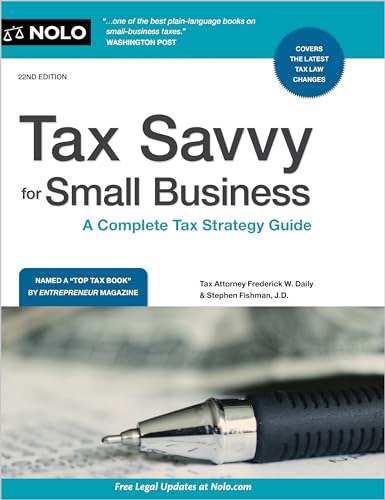
Tax Savvy for Small Business
The most readable practical reference for owners who want to understand payroll, contractor payments, depreciation, vehicle use, and home-office deductions before opening any tax software.
See Price & Reviews View on Amazon
J.K. Lasser's Small Business Taxes 2025
An annually updated reference covering every common deduction, credit, and reporting requirement for small business filers - useful as a year-round companion to whichever software you choose.
See Price & Reviews View on Amazon
475 Tax Deductions for Businesses and Self-Employed Individuals
A categorized A-to-Z catalog of deductions most small business owners miss. Especially useful as a checklist to run alongside the software's "deduction maximizer" prompts.
See Price & Reviews View on AmazonReady to pick a tax platform?
Re-read the comparison table and click through to the vendor whose feature set best matches your filing.
Back to comparison →